Project Gallery
Project Overview
Project Info
Deliverables
Technologies
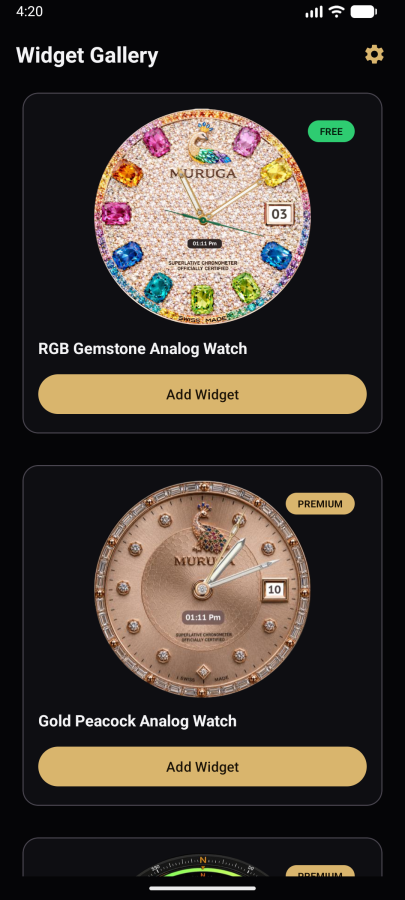
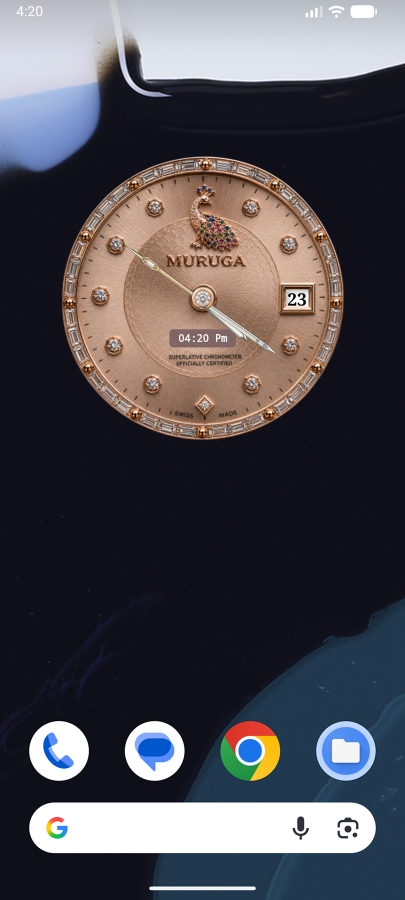
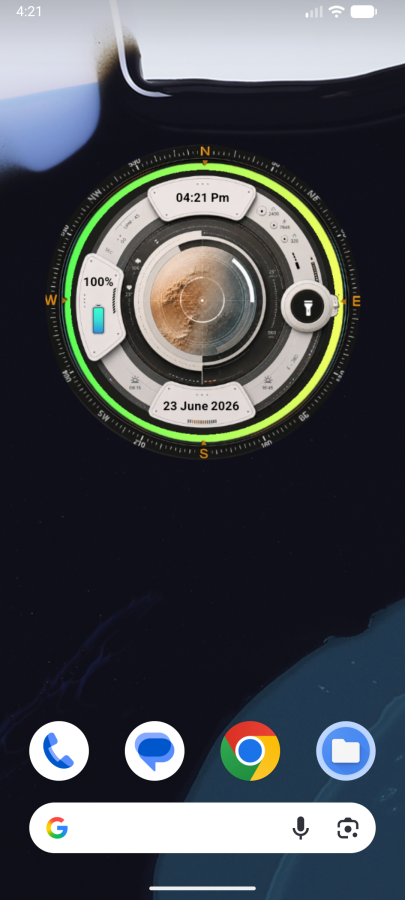
Muruga Widget is a lightweight Android home-screen utility designed to provide users with a convenient and visually engaging way to keep track of time directly from their device’s home screen. Instead of requiring users to open a dedicated clock application every time they want to check the time, the widget brings essential time information into an always-accessible home-screen experience.
The project focuses on combining simplicity, accessibility, and personalization in a compact Android widget. Designed to integrate naturally with the device’s existing home-screen environment, Muruga Widget provides an at-a-glance experience that keeps time readily visible while maintaining a clean and user-friendly presentation.
Key Capabilities
Home-Screen Accessibility
The widget places the clock directly on the Android home screen, allowing users to check the time instantly without navigating through applications. This makes it particularly useful for users who frequently need quick access to time information throughout the day.
Personalized Widget Experience
Muruga Widget is designed around a flexible home-screen experience, allowing the clock presentation to complement the user's device layout and personal preferences while keeping the interaction simple and distraction-free.
Lightweight Everyday Utility
Rather than functioning as a feature-heavy application, the project focuses on doing one essential task effectively—providing quick, reliable, and accessible time information directly where users need it most.
Operational Stats & Efficiency Gains
⬇️ 70–80% reduction in interactions required to check the time compared with opening a dedicated clock application
⬆️ 24/7 accessibility directly from the Android home screen
⬇️ Near-zero workflow interruption for quick time checks
⬆️ 100% offline usability for the core clock display
⬆️ Instant at-a-glance access, making the widget suitable for repeated everyday use
Impact
Muruga Widget turns a basic time-checking activity into a simple, accessible, and personalized home-screen experience. By keeping essential information continuously available without unnecessary navigation, the project demonstrates our ability to build focused Android utilities that prioritize usability, performance, and seamless integration with the native device experience.